Create your account and verify your identity securely using eKYC. Start sending money with confidence.
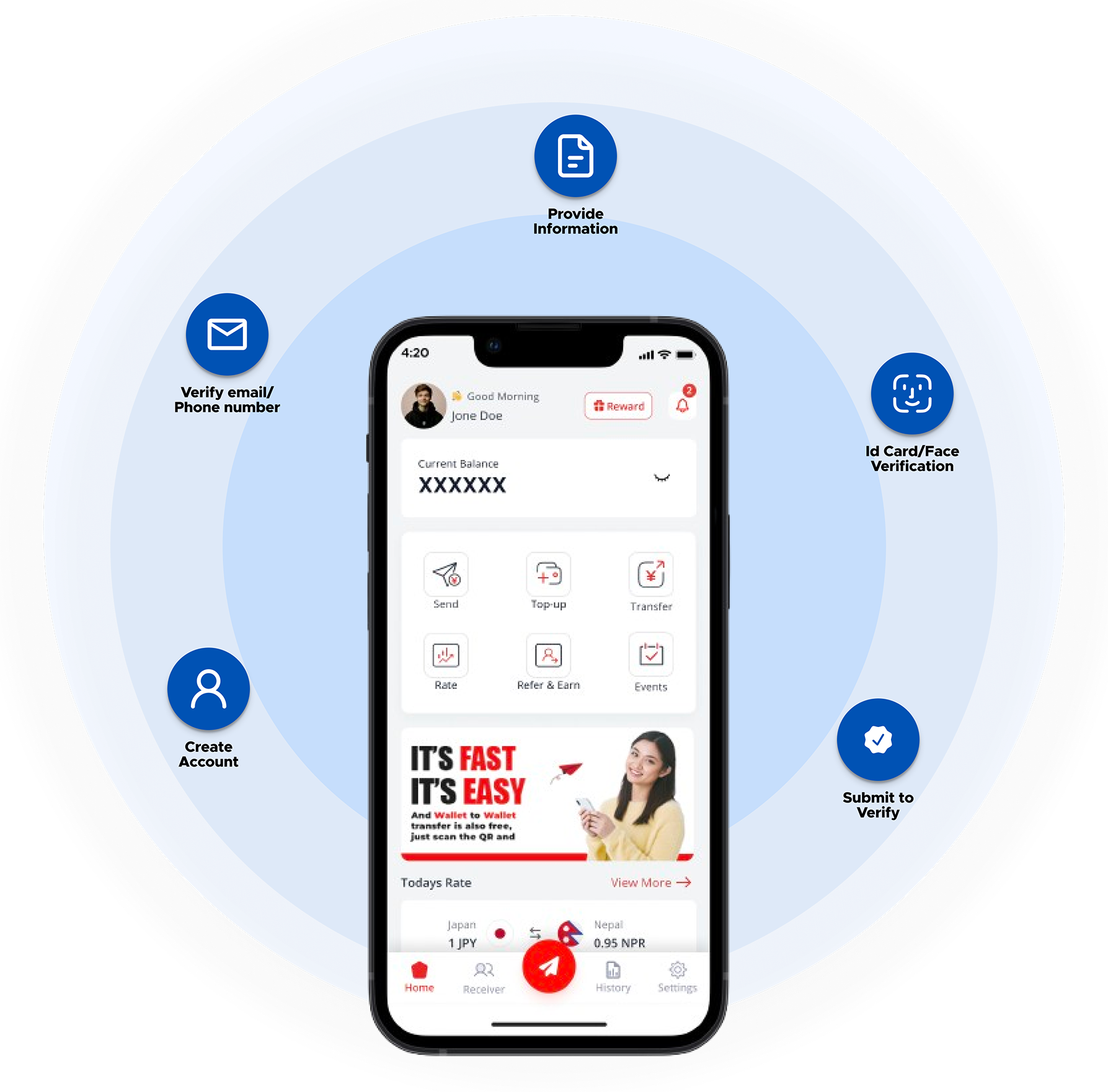
Please prepare one of the required identification documents below based on your residency status.
If you are registering with us without visiting us in person, a copy of a secondary ID or documents showing your address is additionally required:
You need to visit personally at our counters or registered agents to register with us. Please bring your valid ID, Residence card, Driving License or Passport at that time.
FJ Pay App available in App Store and Play Store allows you to register with Forex without ever visiting us. You can scan the QR code below to download.


Install the FJ Pay App from the App Store (iOS) or Play Store (Android) on your mobile device to begin.
Open the app, click on the registration button, and start your journey by creating your unique login credentials.
We will send a One-Time Password (OTP) to your email. Enter it in the app to confirm your email address.
Fill in all required personal details accurately. Ensure the information matches your official identification documents.
Take clear pictures of your Valid ID (Residence Card, etc.) and proof of address. Upload them securely within the app.
Read the terms and conditions of service carefully. Confirm your agreement to proceed with the registration.
After our staff verifies your details and approves your request, you will receive a welcome letter. Use it to set your secure transaction PIN in the app.
Your registration request will reach us immediately. Our staff will verify the correctness of details you had submitted and approve your request. We will then send a welcome letter to your registered address to finalize your account activation.

For further details on non face to face registration, please contact us.
Fast, secure transfers at your fingertips. Get started today.

 Facebook
 YouTube
 Instagram
 TikTok